OPPO Find X9 Pro software review: ColorOS 16—what’s new?
A Fresh Software Experience with ColorOS 16
The OPPO Find X9 Pro launches with ColorOS 16, the latest version of OPPO’s custom Android skin built on Android 16. This update brings several visible and under-the-hood improvements designed to enhance usability, performance and device interconnectivity. For UK users, it means a more refined user experience packed with new AI features, smoother visuals and deeper integration with other devices.
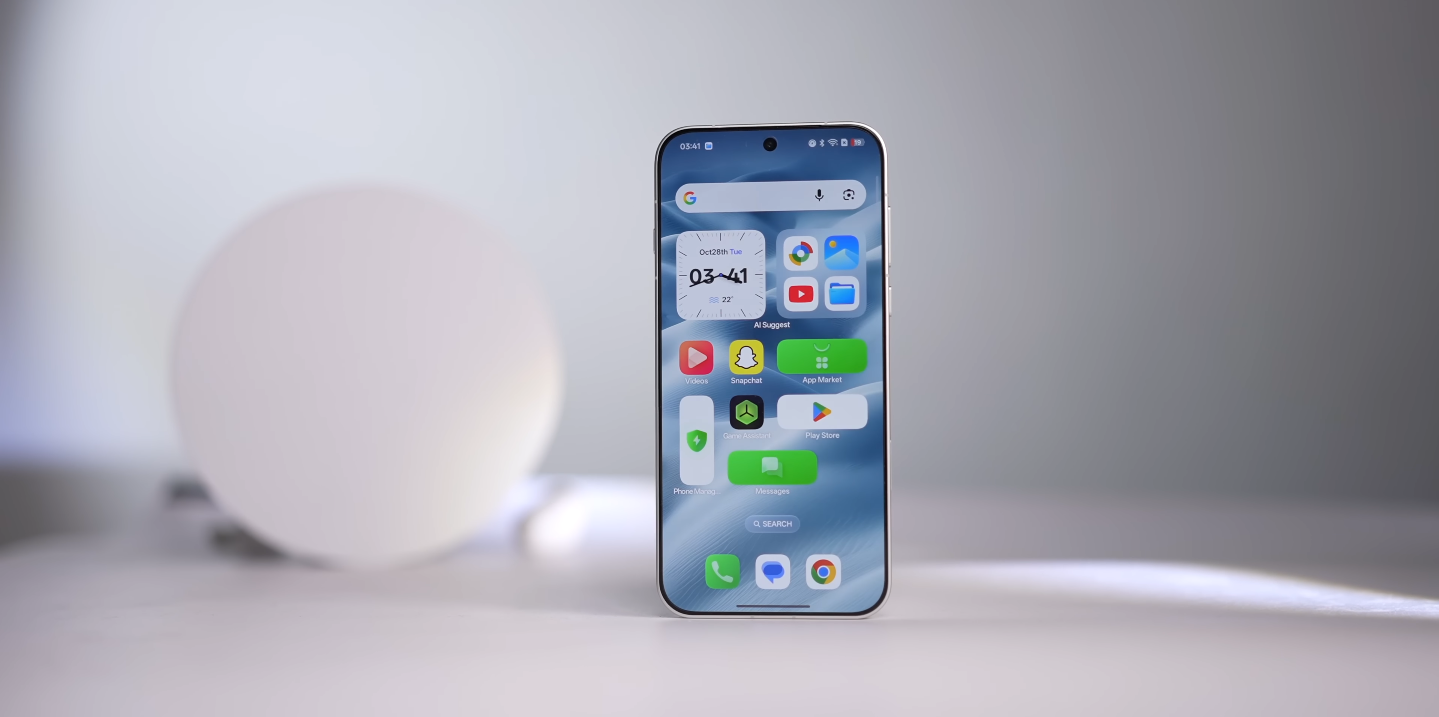
One of the most striking changes is the new home screen design called “Flux Home Screen”. It allows app icons and folders to be resized and re-arranged in more flexible layouts, giving users greater control over how their home screen looks and works. This design change reflects OPPO’s intention to let users personalise their device interface more freely and adaptively.
Animation and visual fluidity have also been improved. ColourOS 16 introduces what OPPO calls the Luminous Rendering Engine and Seamless Animation system, which aim to deliver smoother transitions, quicker responses to input and fewer visual glitches during multitasking. This makes everyday actions like switching apps, opening menus or scrolling feel more polished.
AI enhancements play a major role in the new software. Features such as AI Recorder (auto-generates titles and summaries of voice recordings) and AI Writer (helps draft text for social posts or longer documents) are built in. For users who want more than just a phone UI, these tools provide a productivity boost and align with the growing trend of integrating AI into everyday mobile tasks.
Another welcome addition is the enhanced cross-device connectivity via O+ Connect. On the Find X9 Pro you can run up to five phone app windows on your connected Windows PC or Mac, seamlessly share files, and even control your desktop remotely. This breaks down barriers between phone and computer, allowing the device to act as more than just a mobile phone.
Camera and photo-editing tools get upgraded too. On ColorOS 16 you’ll find features like AI Portrait Glow, Unblur, Reflection Remover and a more advanced video editor for quick on-device edits or conversion between video and motion photos. These tools make capturing and editing content easier and stronger for everyday users and creators alike.
In terms of customisation and visuals, ColorOS 16 introduces a new “Flux Theme” with dynamic backgrounds, revamped always-on display styles and visual themes inspired by nature. These aesthetic updates make the interface feel fresh and modern, not just functional. For users in the UK who care about looks as much as performance, this helps the software stand out.
Security and system updates remain important. OPPO has committed to providing five major Android OS updates and six years of security patches for the Find X9 Pro. While this falls short of some rivals offering seven years of support, it still represents a strong commitment for a flagship device, ensuring long-term utility.
On balance, there are very few drawbacks to the new software. Some users have reported minor bloatware or pre-installed apps that may not be needed, which can be disabled. But the core experience remains strong and modern, especially for those who proactively explore the settings and personalise their device.
From a UK perspective, the Find X9 Pro running ColorOS 16 offers a flagship-grade software suite: refined animations, helpful AI tools, flexible home screen customisation and excellent desktop-PC interconnectivity right out of the box. Whether you’re a creative user, productivity-focused or just want a robust mobile experience, this software version keeps the phone feeling current and capable.
In summary, the OPPO Find X9 Pro’s software is a major asset. ColorOS 16 delivers both surface polish and meaningful features, making it more than just a wrapper over Android. If you value a phone that looks and feels premium and stays relevant through the years, the Find X9 Pro’s software experience is well in keeping with that ambition.