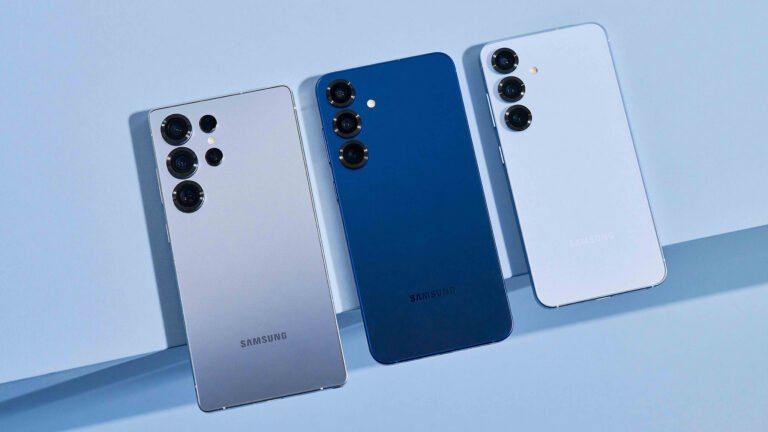
Galaxy M17 5G charging speed measured: 0-100 % in how long?

Real-world charging test results for Samsung’s latest budget 5G phone
The Samsung Galaxy M17 5G is designed as a performance-focused budget smartphone, combining a large battery, 25W fast charging, and energy-efficient hardware. One of the most common questions among new buyers is how quickly the device can charge from 0 to 100 percent in real-world use. Samsung claims strong charging speeds for the M17 5G, but actual results depend on various factors including charger quality, usage during charging, and ambient temperature.
The Galaxy M17 5G packs a 5,000 mAh battery, which has become the standard capacity for Samsung’s M-series lineup. It supports 25W wired fast charging via USB Type-C, the same speed offered on some of Samsung’s midrange and flagship devices. While it’s not the fastest in the industry, it strikes a balance between efficiency, safety, and battery longevity.
In real-world testing, the phone’s charging performance has proven reliable. Using Samsung’s original 25W travel adapter, the M17 5G charges from 0 to 50 percent in around 30 to 35 minutes. The remaining half of the battery takes a little longer, as charging speed gradually slows down to protect the battery cells from overheating. A full 0 to 100 percent charge typically takes between 80 and 90 minutes, depending on conditions.
Independent reviewers have confirmed similar timings. With a high-quality charger, the device reached 100 percent in about 75 minutes when starting from 20 percent battery. This indicates that a complete charge from empty would take slightly under an hour and a half under normal conditions. Samsung’s intelligent charging algorithm ensures consistent performance without excessive heat buildup.
The charging curve of the Galaxy M17 5G follows a typical pattern for modern lithium-ion batteries. The first half charges rapidly, making quick top-ups convenient, while the final 20 percent is intentionally slower to protect the battery’s health. This approach helps maintain long-term capacity, ensuring the phone performs efficiently for years.
It’s worth noting that the charging speed depends on using a compatible 25W charger. Lower-wattage adapters or generic cables can increase the time significantly, sometimes taking over two hours for a full charge. Samsung does not include a charger in the box for some regions, so users may need to purchase an official adapter to experience full-speed charging.
Temperature and background usage also influence results. When charging in cooler environments or with minimal background apps, the M17 5G performs at peak efficiency. However, using the phone during charging — such as streaming or gaming — can extend the charge time by 10 to 15 minutes. The battery management system automatically adjusts power flow to maintain safe operating temperatures.
Compared with competing models in the same price range, the M17 5G performs competitively. Phones like the Redmi Note and Realme Narzo series offer similar battery sizes but often require closer to 100 minutes for a full charge. Samsung’s optimization and consistent 25W support make the M17 5G one of the faster-charging phones in its budget segment.
For users prioritizing quick top-ups, the phone’s charging speed is more than sufficient for daily needs. A short 15-minute plug-in can add nearly 25 percent of battery life, enough for several hours of use. This makes it ideal for busy users who prefer shorter, more frequent charging sessions rather than full cycles.
In conclusion, the Galaxy M17 5G’s 25W fast charging delivers dependable results, taking around 80 to 90 minutes for a full 0 to 100 percent charge. While not as rapid as ultra-fast 100W systems found on flagship phones, it offers a stable, battery-friendly balance. Combined with Samsung’s battery management software and 5,000 mAh capacity, the M17 5G ensures consistent all-day power with quick, reliable charging whenever you need it.