Xiaomi 17 Pro Max best settings for battery life: what you need to change
Simple tweaks to maximise battery life on Xiaomi’s flagship smartphone
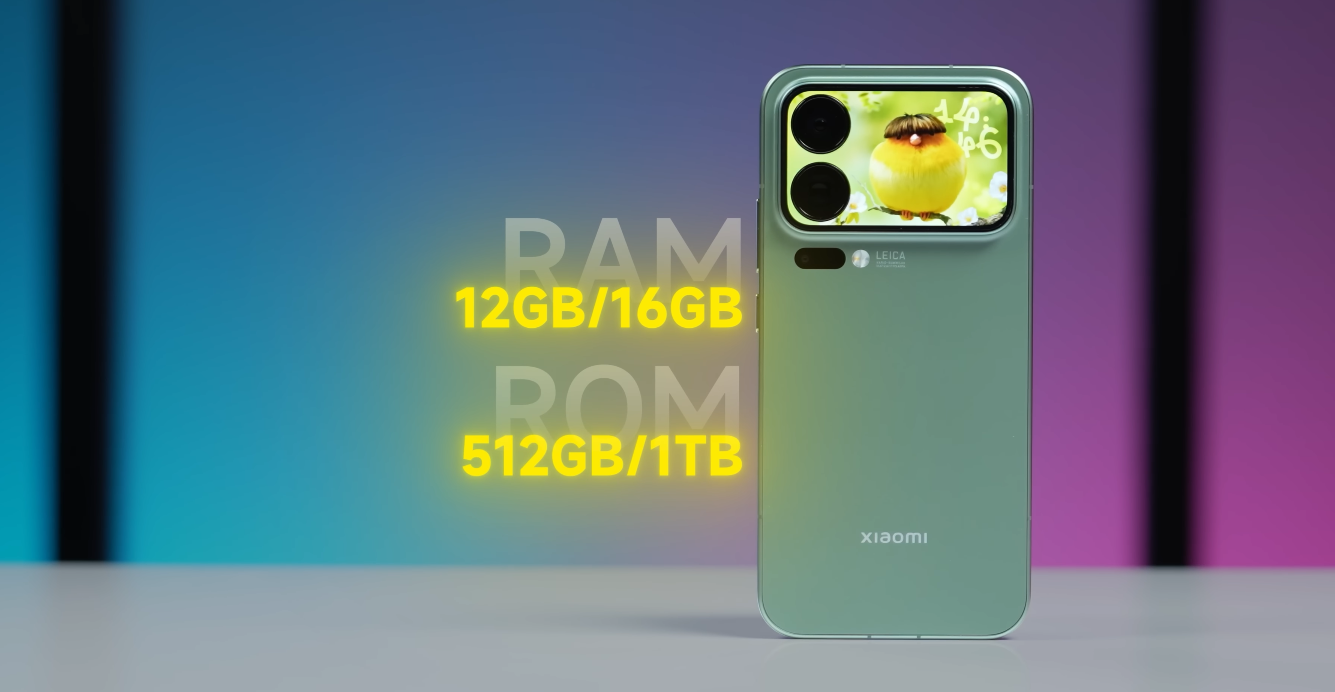
The Xiaomi 17 Pro Max comes with one of the largest batteries in the flagship segment, packing a massive 7,500mAh cell with 100W wired and 50W wireless charging support. Yet, even with such power, heavy users often notice battery drain from the high-resolution display, background apps, and connectivity features. Fortunately, several settings can be adjusted to dramatically improve endurance without sacrificing performance.
One of the first steps to enhancing battery life is managing the display settings. The 17 Pro Max’s 6.9-inch 2K LTPO AMOLED screen is stunning but power-hungry. In the “Display” menu, switching the resolution from WQHD+ to FHD+ can save up to 15% of daily battery usage with minimal difference in sharpness. Additionally, enabling Adaptive Refresh Rate allows the screen to automatically scale between 1Hz and 120Hz, depending on what’s on screen, reducing unnecessary refresh cycles.
Brightness control also plays a key role. Instead of using the maximum brightness manually, enabling “Auto Brightness” under Settings helps the phone dynamically adjust brightness based on ambient light. For even better results, lowering screen timeout to 30 seconds prevents the display from staying on longer than needed. The Always-On Display, though convenient, consumes energy — turning it off or scheduling it only during active hours can extend battery life by a noticeable margin.

Next, focus on app management. The Xiaomi 17 Pro Max’s HyperOS platform includes a “Battery & Performance” section under Settings, where users can identify power-hungry apps. Tapping “Battery Saver” and setting “Ultra Battery Saver” for select apps ensures that background activity is restricted when not in use. Apps like social media, messaging, and streaming services are the biggest culprits of idle drain — consider limiting them from autostarting or syncing continuously.
Connectivity options such as 5G, Bluetooth, and Wi-Fi also affect endurance. When 5G coverage is poor, the phone consumes extra power searching for stable signals. Switching to 4G when high-speed data isn’t necessary can help preserve battery. Similarly, turning off Bluetooth and Wi-Fi scanning in the location settings prevents constant background network searches. Enabling “Airplane Mode” in low-signal areas also helps reduce unnecessary drain.
Another powerful adjustment lies in the phone’s performance mode. In the “Battery” settings, users can select from Balanced, Performance, or Battery Saver modes. For most daily activities, Balanced mode offers the best compromise between speed and efficiency. Battery Saver mode, on the other hand, limits system animations and restricts background data, making it ideal for travel or long days away from a charger.
Dark Mode is another small but effective tweak. The AMOLED panel on the Xiaomi 17 Pro Max benefits significantly from darker pixels, which consume less energy. Keeping Dark Mode enabled throughout the system and compatible apps can provide up to 10% extra endurance per charge. Similarly, using a dark wallpaper and disabling live or animated wallpapers helps conserve power over time.
System updates and app optimization also influence battery longevity. Xiaomi regularly releases HyperOS updates that fine-tune background processes and improve power management. Keeping your device updated ensures you benefit from the latest improvements. Additionally, clearing cached data periodically and restarting the phone once a week keeps background services running efficiently.
Charging habits can impact long-term battery health. While the 17 Pro Max supports ultra-fast charging, frequent full 100% charges can slightly reduce battery lifespan over time. To maintain capacity, try charging between 20% and 85% during regular use. Using the “Optimised Charging” option in settings ensures the device intelligently controls charging speed to prevent overheating.
In conclusion, the Xiaomi 17 Pro Max already offers exceptional battery capacity, but small adjustments can make a big difference in day-to-day endurance. Lowering resolution, moderating refresh rates, managing apps, and using Dark Mode can extend usage by several hours. Combined with smart charging habits and software updates, these settings help you get the most out of Xiaomi’s massive battery without compromising the flagship experience.
Also Read: Redmi K90 Pro Max fast charging impact on battery health: myth vs reality